
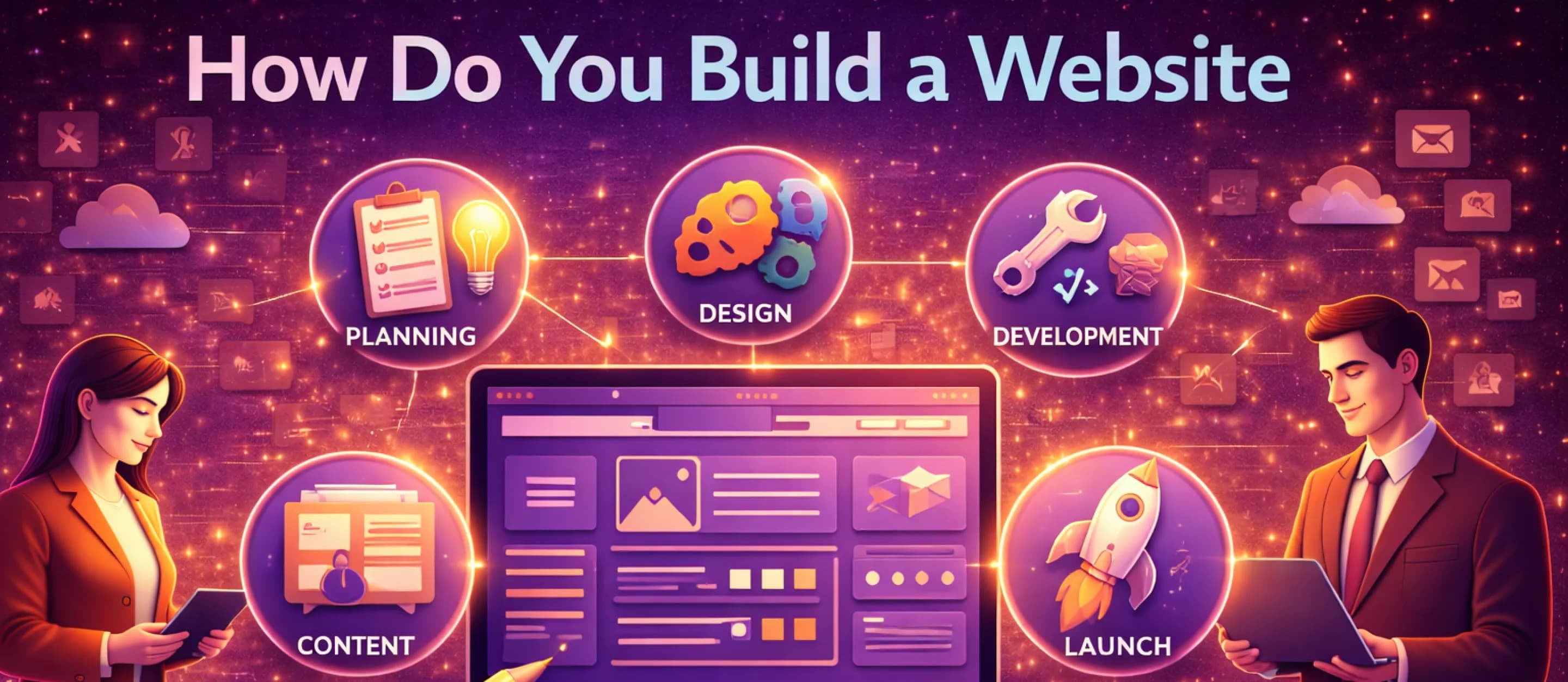
The hardest part of building a website is rarely the technology. It is the set of choices you make before you touch a template: what the website must accomplish, who it is for, and which path you will use to publish it. If those decisions are clear, everything that follows—content, structure, and visuals—becomes far simpler. If they are unclear, even the best tools can feel confusing.
This guide answers a very common question—how to build a website—with a neutral, practical framework. You will learn the core components every site needs, the difference between website builders and WordPress, and a step-by-step plan that covers both website development and website design without getting lost in jargon. The goal is not to turn you into an engineer. It is to help you build a site that looks professional, works on mobile, and strengthens your online presence.
Step Zero: Define the One Thing the Website Must Do
Before you choose a platform, write down the single most important outcome you want from the site. For most people, it is one of these:
- Generate leads (book calls, request quotes, schedule appointments).
- Sell products (ecommerce, subscriptions, digital downloads).
- Establish credibility (portfolio, case studies, credentials, testimonials).
- Provide information (hours, services, pricing, location, FAQs).
- Support customers (help center, documentation, forms, status updates).
When you choose one primary outcome, your decisions become easier. A site designed to sell products will prioritize product pages, checkout flow, and trust signals. A portfolio site will prioritize imagery, case studies, and a clear “contact” pathway. This is the foundation of good web design: clarity about what users should do next.
Two Main Paths: Website Builders vs. WordPress
There are many ways to publish a site, but most beginners choose between two practical approaches. A website builder (such as Wix or Squarespace) is an all-in-one service. Hosting is included, templates are built in, and updates are handled by the platform. You can launch quickly with minimal setup, which is ideal when you want something live soon and do not want to manage infrastructure.
WordPress.org, by contrast, is a flexible publishing platform you install on your own hosting. You have far more control over design, plugins, and functionality, but you also take responsibility for maintenance: updates, security, backups, and performance tuning. It can be an excellent long-term foundation, especially if you expect your site to grow into a larger system.
Here is a simple comparison in plain language:
Quick comparison (practical, not technical)
- Ease of setup: builders are faster; WordPress has a learning curve.
- Hosting: builders include it; WordPress requires you to choose it.
- Customization: builders are good within limits; WordPress can be extremely flexible.
- Ongoing maintenance: builders handle most of it; WordPress requires active upkeep.
- Budget style: builders are subscription-based; WordPress costs vary (hosting + optional tools).
If your main goal is to launch a clean site quickly, a builder is often the fastest route. If you want deep control, custom features, or a platform that can expand significantly over time, WordPress is often the better base. Both paths can produce excellent website design if you use them thoughtfully.
The 3 Core Ingredients Every Website Needs
No matter which tool you use, every website relies on the same three ingredients. A helpful analogy is a house:
- Domain name: the address (example: yourbusiness.com).
- Hosting: the land and structure where the files “live.”
- Content + design: the rooms, furniture, and signage people experience.
Website builders bundle these together. WordPress typically requires you to choose your hosting separately, connect your domain name, and then set up WordPress on top of it. Neither is “better” by default; the right choice depends on your timeline, budget, and appetite for maintenance.
A 4-Step Action Plan for Using a Website Builder
If you choose a builder, your path is straightforward. Most of the work will be selecting a structure and adding your content.
1) Choose the platform
Pick one based on your use case:
- Squarespace: strong templates, great for portfolios and service businesses.
- Wix: flexible editing, good for experimenting with layouts.
- Shopify: purpose-built for ecommerce if selling is your primary goal.
2) Pick a template for layout, not colors
A template is a structural blueprint. Focus on how pages are organized and how the homepage leads users to actions. Colors, images, and fonts can be updated later. The layout is harder to change without rework.
3) Customize with your content
Replace placeholder content with your own:
- Clear headline that explains what you do.
- Supporting text that explains who it is for and why it matters.
- Photos, screenshots, or product imagery that demonstrates credibility.
- Calls to action (CTA) that match your main goal (book, buy, request, contact).
4) Publish, then review on mobile
After publishing, review the site on a phone. Tap every button. Scroll every page. Confirm the menu is clear and that the primary CTA is easy to find. Mobile usability is not optional; it is a baseline expectation for modern website development.
A Practical Plan for WordPress (Without the Overwhelm)
If you choose WordPress, the process is still manageable when broken into clear steps.
1) Buy a domain name
Choose a domain name that is short, easy to say, and easy to spell. Avoid hyphens and numbers unless you have a strong reason. If the perfect .com is taken, add a clarifying word (location, service, or brand descriptor).
2) Choose reputable hosting
Look for hosting that offers:
- Automated backups.
- SSL support.
- Strong uptime and support.
- Performance features (caching, CDN options).
3) Install WordPress and select a theme
Many hosts offer one-click WordPress installation. Then choose a theme that matches your site type (business, portfolio, blog, ecommerce). Themes are the design starting point; you will customize them with content and brand elements.
4) Keep it healthy
WordPress sites benefit from routine maintenance: updates, backups, security monitoring, and performance checks. This is normal. It is also why some businesses prefer builders: they trade flexibility for simplified operations.
Website Design Fundamentals That Make a Site Feel Professional
Good website design is not about flashy effects. It is about reducing friction for the visitor. These principles apply regardless of platform.
Use a clear page structure
Most pages should follow a simple pattern:
- A headline that states the value.
- A short explanation of who it is for.
- Proof (examples, testimonials, credentials, numbers, case studies).
- A clear next step (contact, book, purchase, download).
This structure is effective because people scan. They want to understand quickly whether they are in the right place.
Keep a small color palette and consistent typography
Use two to three primary colors and apply them consistently. Choose one main font family and use it across the site. Consistency makes a brand feel established. It also prevents the site from looking like a collage.
Prioritize readability
Readable web design means:
- Comfortable font size.
- Strong contrast between text and background.
- Short paragraphs and clear headings.
- Sufficient spacing so the page does not feel crowded.
A site that is easy to read feels trustworthy. A site that is hard to read feels risky, even if the content is good.
Make calls to action obvious
A visitor should never wonder what to do next. Use one primary CTA per page, with supporting secondary CTAs when needed. Use action language that matches the goal: “Book a consultation,” “Get a quote,” or “Start your free trial.”
Website Development Essentials Beyond Design
Website development is not only building pages. It is also ensuring the website is fast, secure, and easy to find.
Security: enable SSL
That padlock icon in the browser matters. SSL encrypts data between visitors and your site. It is a trust signal and a standard requirement for modern browsers. Most hosting and builders support SSL with minimal setup.
Performance: keep pages lightweight
Large images are one of the most common reasons sites feel slow. Use appropriately sized images, avoid uploading massive files, and keep pages focused. Speed impacts user experience and search visibility.
Accessibility: design for everyone
Basic accessibility improvements include:
- Alt text for meaningful images.
- Clear focus states for keyboard navigation.
- Adequate contrast and readable text.
- Form labels that explain what is required.
Accessibility is both a user experience goal and a practical business advantage. The more people who can use your site, the more effective it can be.
Conclusion
Building a website is not a single technical event; it is a series of practical decisions that combine website design and website development into a living business asset. Whether you choose a website builder for speed or WordPress for flexibility, the fundamentals are the same: define the primary goal, keep the structure clear, prioritize readability and mobile usability, and support the site with security and performance basics.
A website is often the first impression someone has of your brand. When it is built intentionally, it does more than “exist online.” It communicates credibility, guides visitors to action, and strengthens your long-term online presence.
To keep your planning grounded, remember that learning how to build a website is mainly about sequencing: decide the goal, choose the platform, publish a clear structure, and then improve over time. That approach keeps website development manageable, keeps website design consistent, and ensures your web design choices support a real online presence.
